Generate your test and demo data
in seconds
Data Generator is a free native Salesforce app that lets you create realistic records on any standard or custom object, whether you're testing your developments or impressing during a client demo. No code, no CSV, no friction.
Data Generator is coming soon to the AppExchange. Install the package right now and start generating data in a few minutes.
Generations are available on Developer Orgs, scratch orgs, and sandboxes, with a built-in safeguard to prevent accidental generation on a production org.
Choose the install link that matches your org.
Assign yourself the "Data Generator User" permission set.
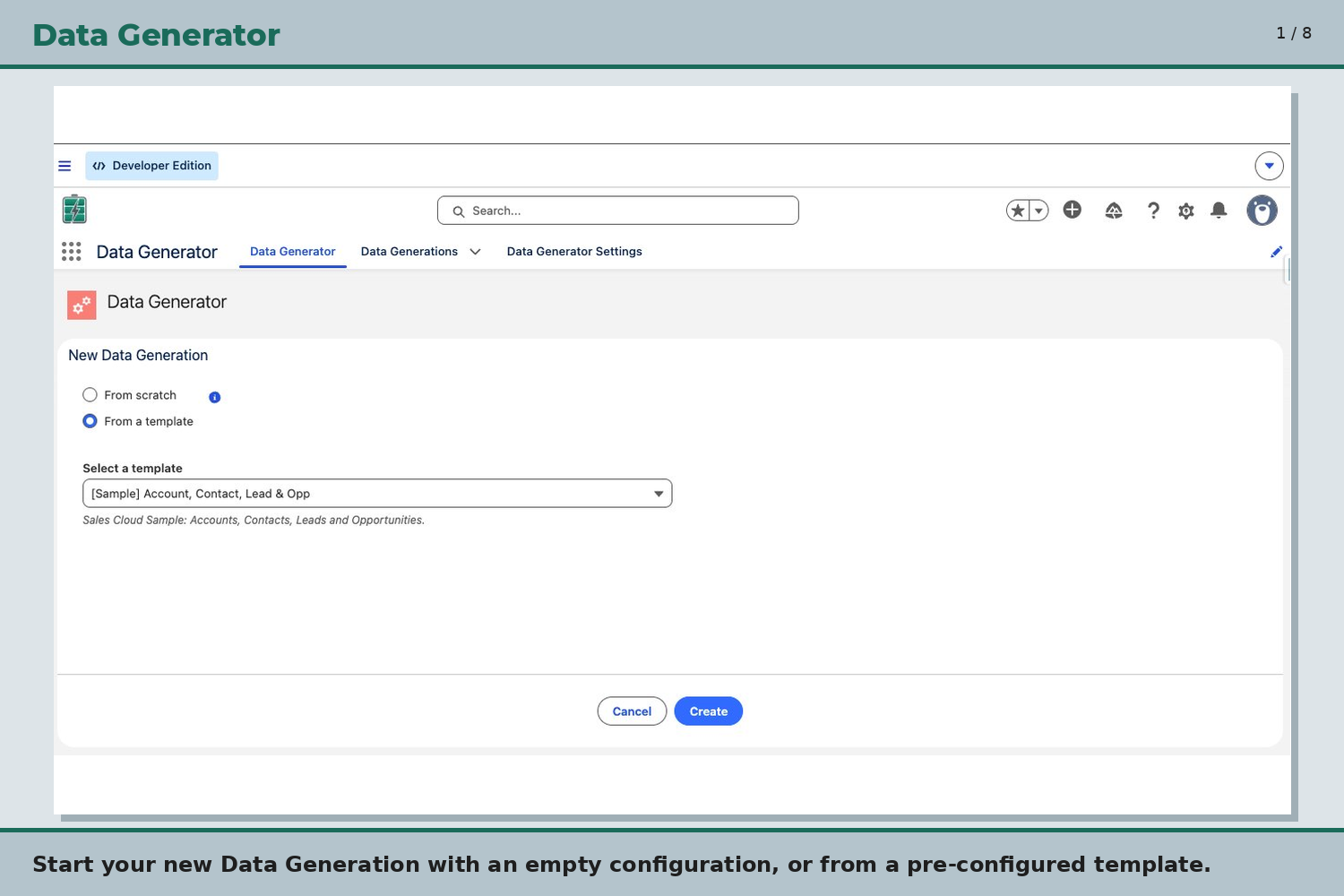
Open the Data Generator app (App Launcher → search "Data Generator"), select New Generation from a Template, choose the Sample template, click Create, then Save & Run.
Built for Salesforce developers, admins, and QA teams.
Generate records on all standard and custom objects in your org, including managed package objects like CPQ: Account, Contact, Opportunity, SBQQ__Quote__c, and many more.
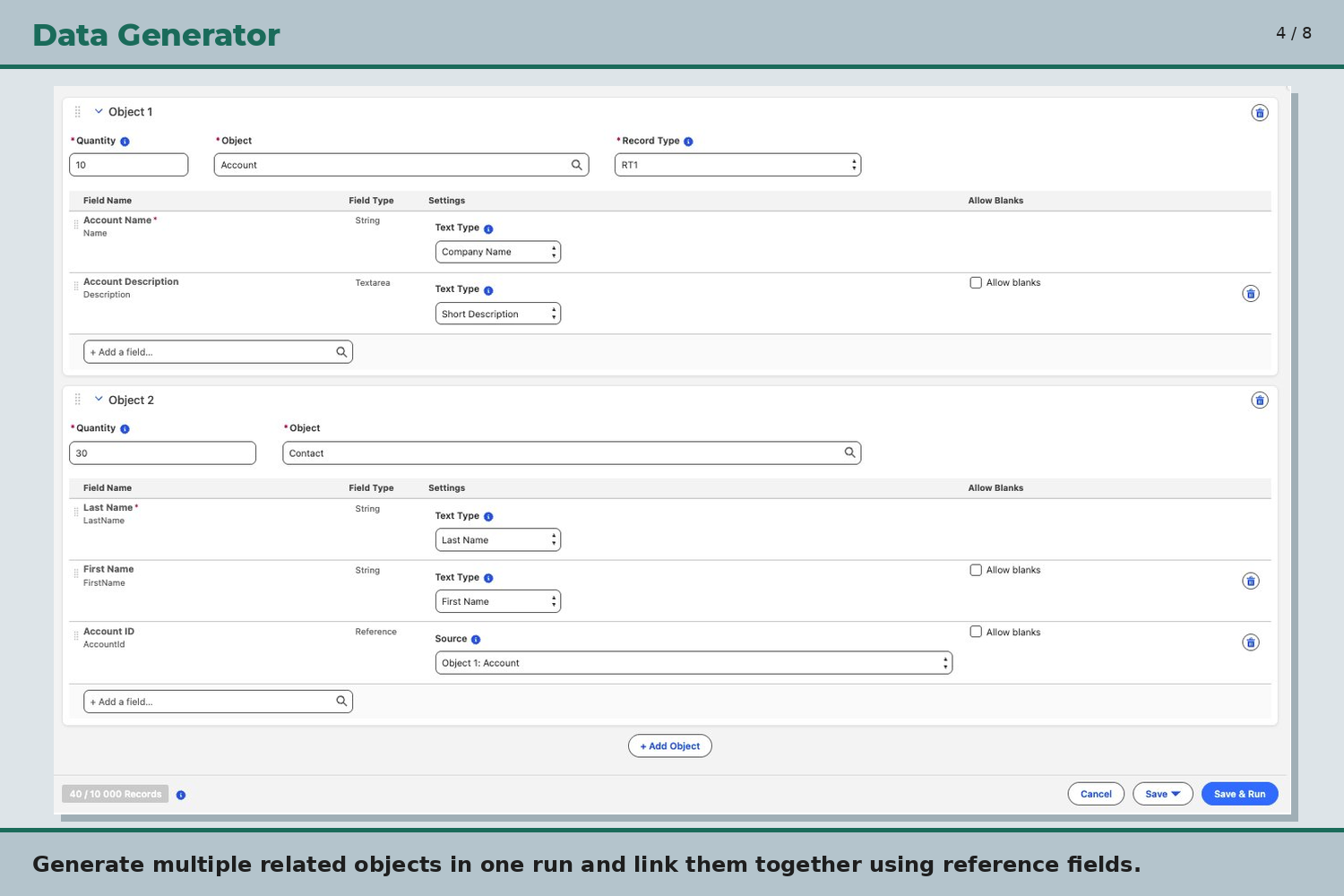
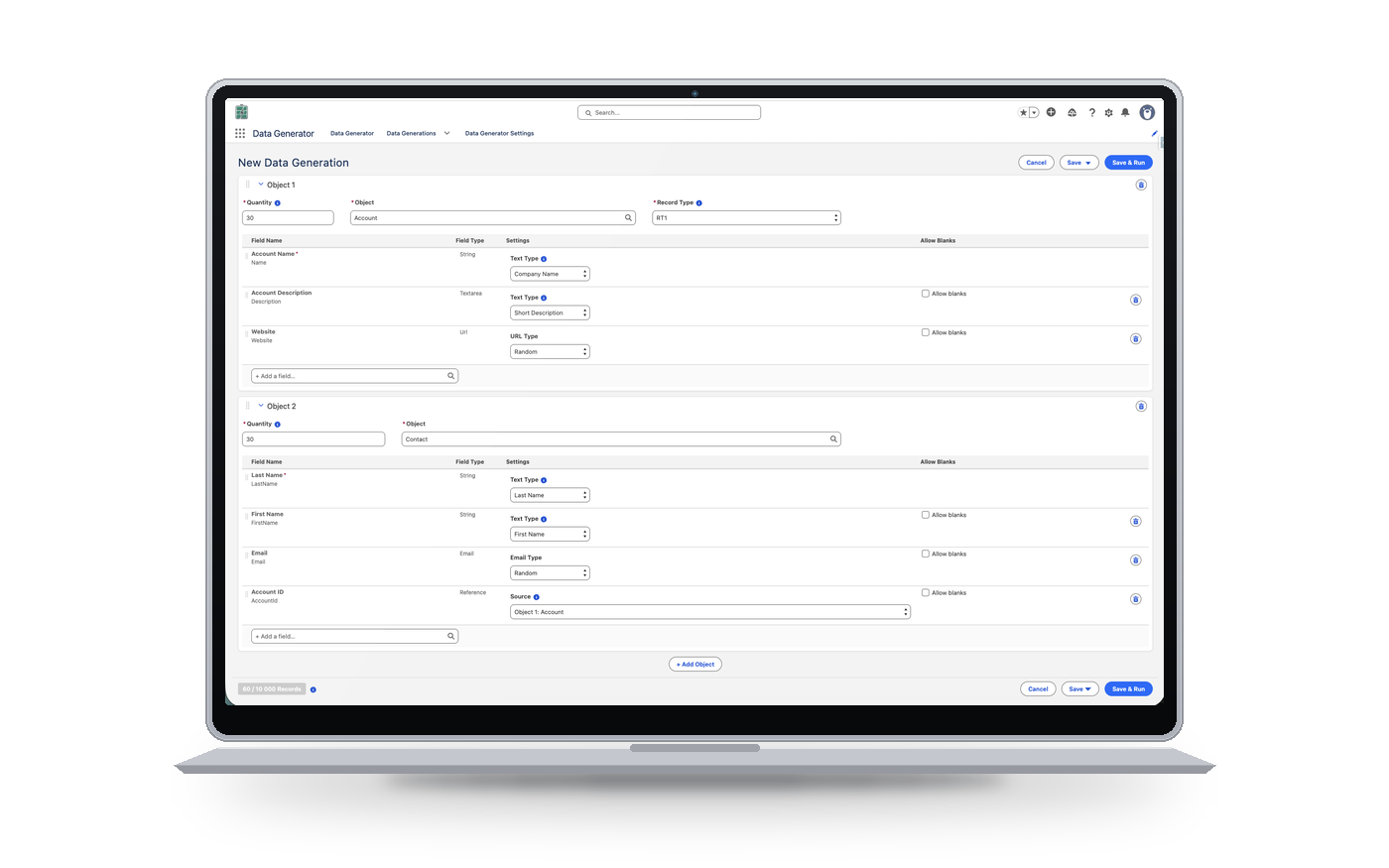
Generate related objects and completely independent ones in the same run, for example Accounts with their Contacts, and unrelated Cases, all at once. No manual post-processing needed.
Configure each field individually: text type, phone format, date range, picklist distribution, blank value rate.
Save your configurations as templates and relaunch them in one click, or start from a ready-to-use template to get up and running fast.
Made a mistake? Delete all records generated by a run and relaunch a new configuration immediately.
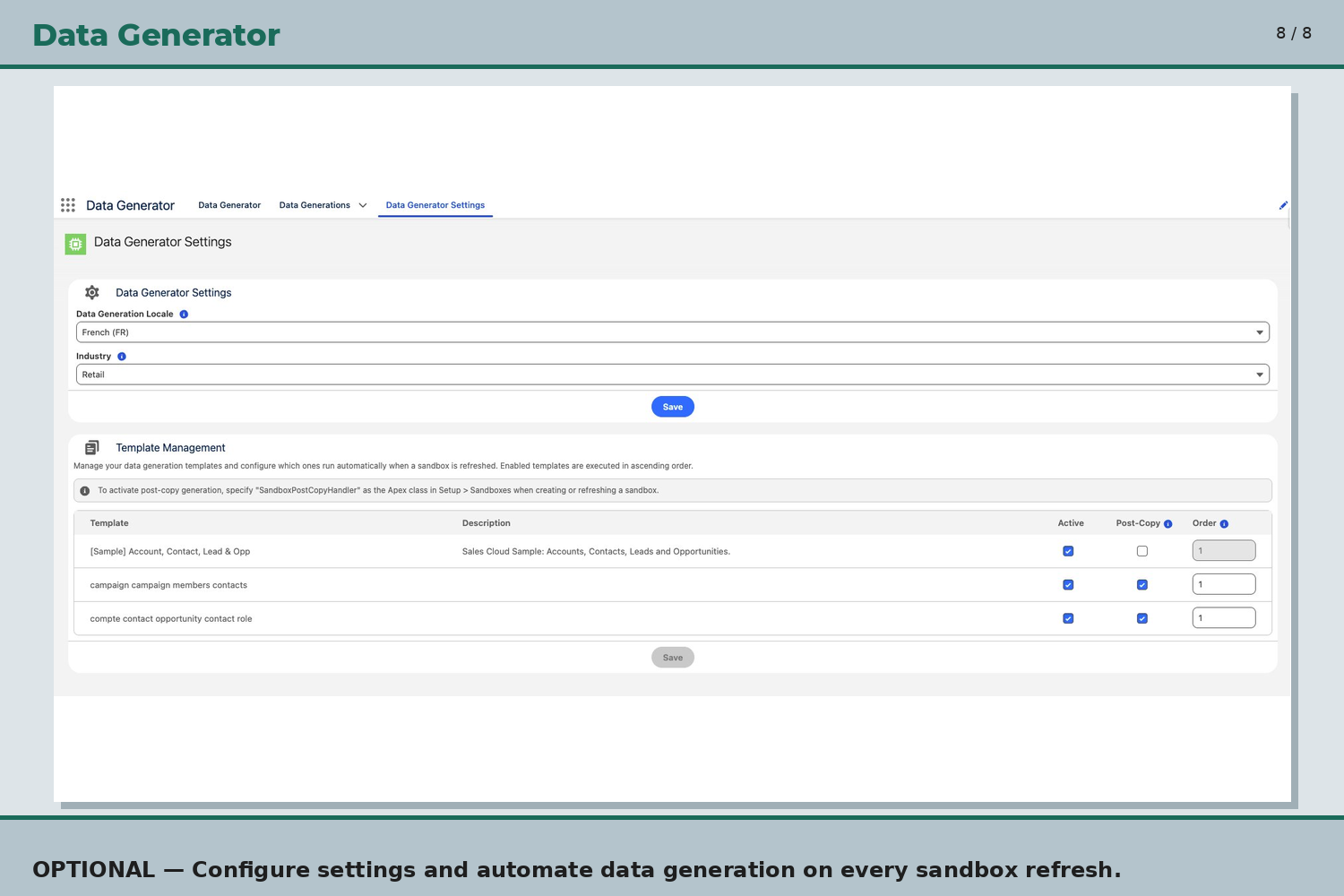
Configure templates that run automatically on every sandbox refresh via the native SandboxPostCopyHandler.
Data Generator comes from the daily practice of a certified Application & System Architect consultant, working in demanding environments.
No external callouts, no third-party API calls. Data Generator runs entirely inside your Salesforce org and never communicates with any outside service: a key point for staying GDPR-compliant and meeting security requirements on your test environments.
Generated data natively supports both FR and EN locales: names, addresses, and formats matched to each market. Additional locales can be added on request.
100% native Salesforce Lightning interface.
Start a new generation from a pre-configured template or build your own setup from scratch. A sample template (Sales Cloud) is included on install.
Add as many objects as needed in a single run. Lookup fields automatically link the created records, for example associating Contacts with Accounts generated in the same run.
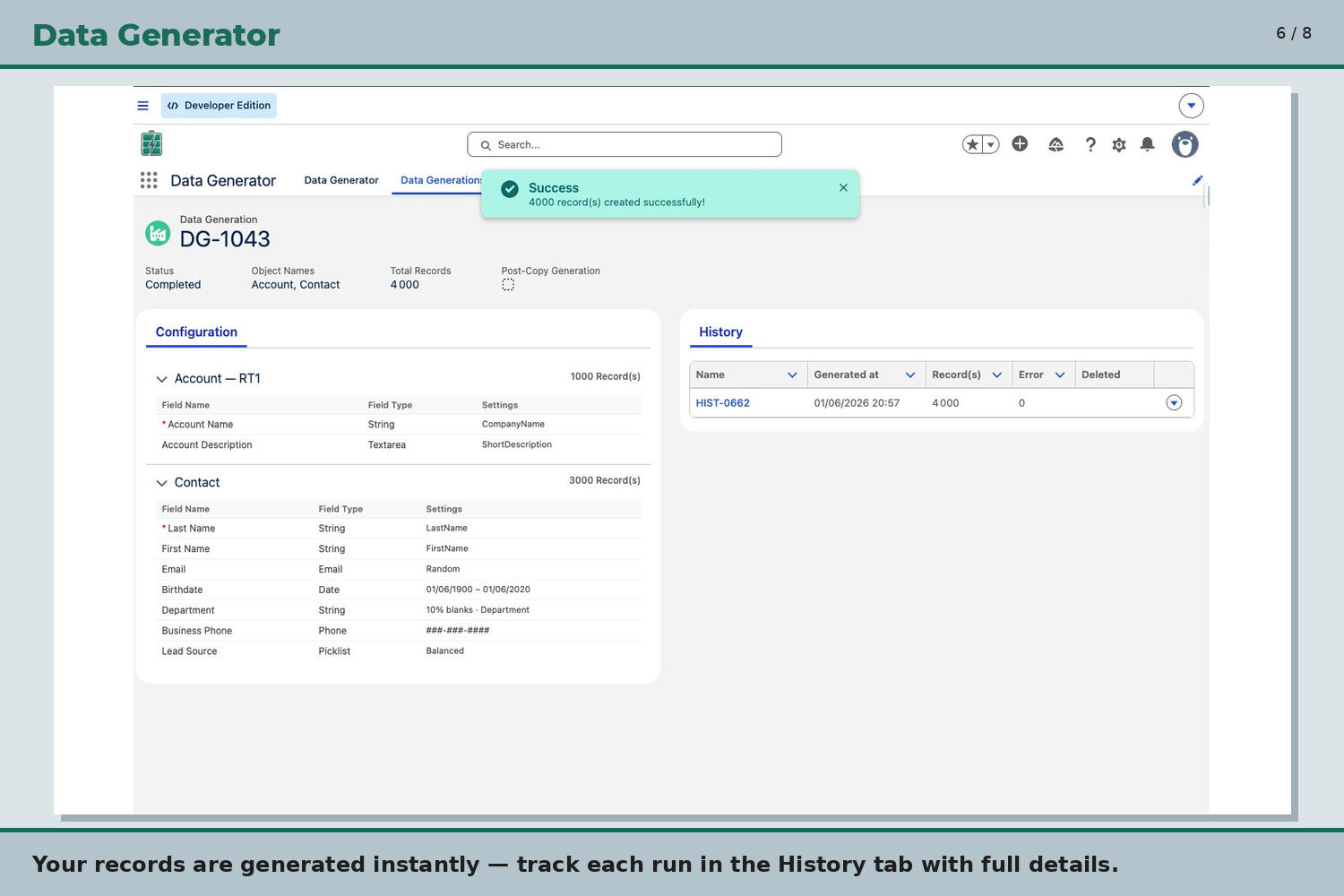
Records are created in seconds. Every run is logged in the History tab with record count, date, and any errors.
Configure your templates to run automatically on every sandbox refresh. Ideal for keeping your test environments ready to use as soon as they're created.
Universal Data Generator, Mockaroo, Snowfakery, homemade Apex scripts: each approach has its strengths. Here is where Data Generator fits.
| Criteria | Data Generator | Universal Data Generator | Mockaroo | Snowfakery | Homemade Apex scripts |
|---|---|---|---|---|---|
| Runs inside your org | ✓ Native Salesforce app | ~ External web app, OAuth connection to the sandbox | ✗ External web service, CSV import required | ✗ Python command-line tool | ✓ Code deployed in the org |
| No code | ✓ Lightning UI, no code at all | ✓ Web UI | ✓ Web UI | ✗ YAML recipes | ✗ Apex development required |
| Related objects in one run | ✓ Via reference fields | ✓ Native relationships between objects | ~ Separate files, IDs to reconcile | ✓ Relationships in the recipe | ~ You code it yourself |
| Managed package objects (CPQ…) | ✓ Any standard or custom object | ~ Not specified | ~ Via your own CSV columns | ✓ Yes, depending on the recipe | ✓ Yes, if you code it |
| Deleting a run | ✓ One click | ~ Not documented | ✗ No tracking of loaded records | ~ Via CumulusCI, needs setup | ~ You code it yourself |
| Sandbox refresh | ✓ Automatic (SandboxPostCopyHandler) | ~ Manual regeneration after the refresh | ✗ No | ~ Possible via CI/CumulusCI pipeline | ~ You code and maintain it |
| Data leaving the org | ✓ None | ~ Org schema processed on their servers | ~ Generated outside the org, then imported | ~ Generated locally, then loaded | ✓ None |
| Cost and setup | ✓ Free, installs in minutes | ~ Very limited free tier (50 records), then roughly $47 to $119/month | ~ Freemium, paid plans beyond the limits | ✓ Free (open source), technical setup and learning curve | ✓ Free, but dev and maintenance time |
Indicative comparison based on each tool's public features. Offerings change, so check with each vendor.
Dahoni Data Generator is a free, native Salesforce app that generates realistic test data on any standard or custom object, with no code and no CSV.
Yes. Data Generator is free and available now as a beta, ahead of its release on the AppExchange.
Data Generator works on any standard or custom object in your org, including managed package objects such as CPQ's SBQQ__Quote__c.
Yes. You can generate related objects linked through reference fields, and fully independent objects, in the same run.
No. Data Generator makes no external callouts: everything stays inside your Salesforce org.
You can generate data on a Developer Org, a scratch org, or a sandbox. A built-in safeguard prevents accidental generation on a production org.
Data Generator is free and available today as a beta package, while we prepare its listing on the AppExchange.